One-click install
Add Aspen from the MyGeotab Add-in settings. No gateways, no extra hardware, no data export.
Geotab Add-in

Aspen installs as a Geotab Add-in and reads the telematics data you already collect. Your team sees predicted failures, root causes, and work orders in the same window they use every morning.
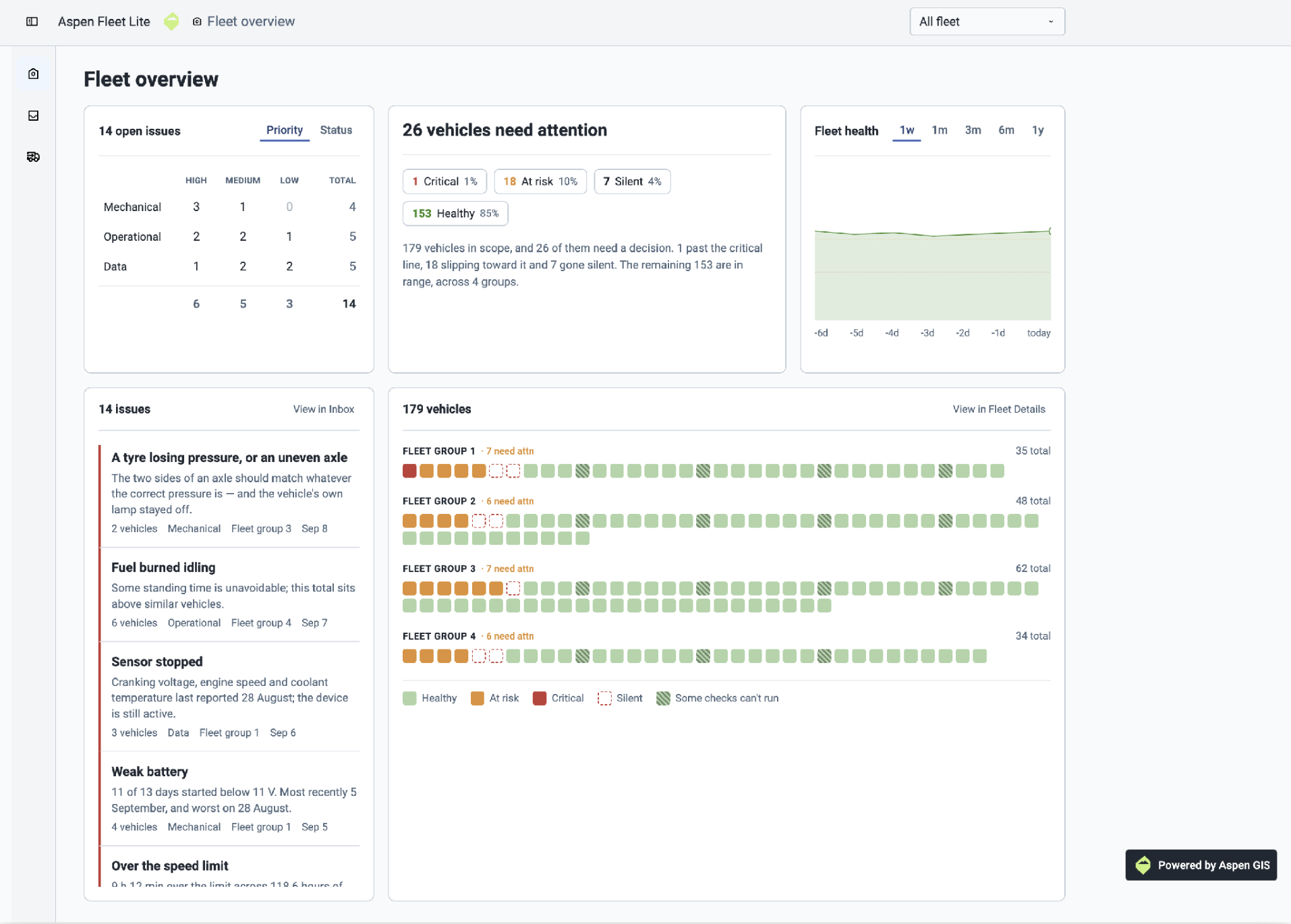
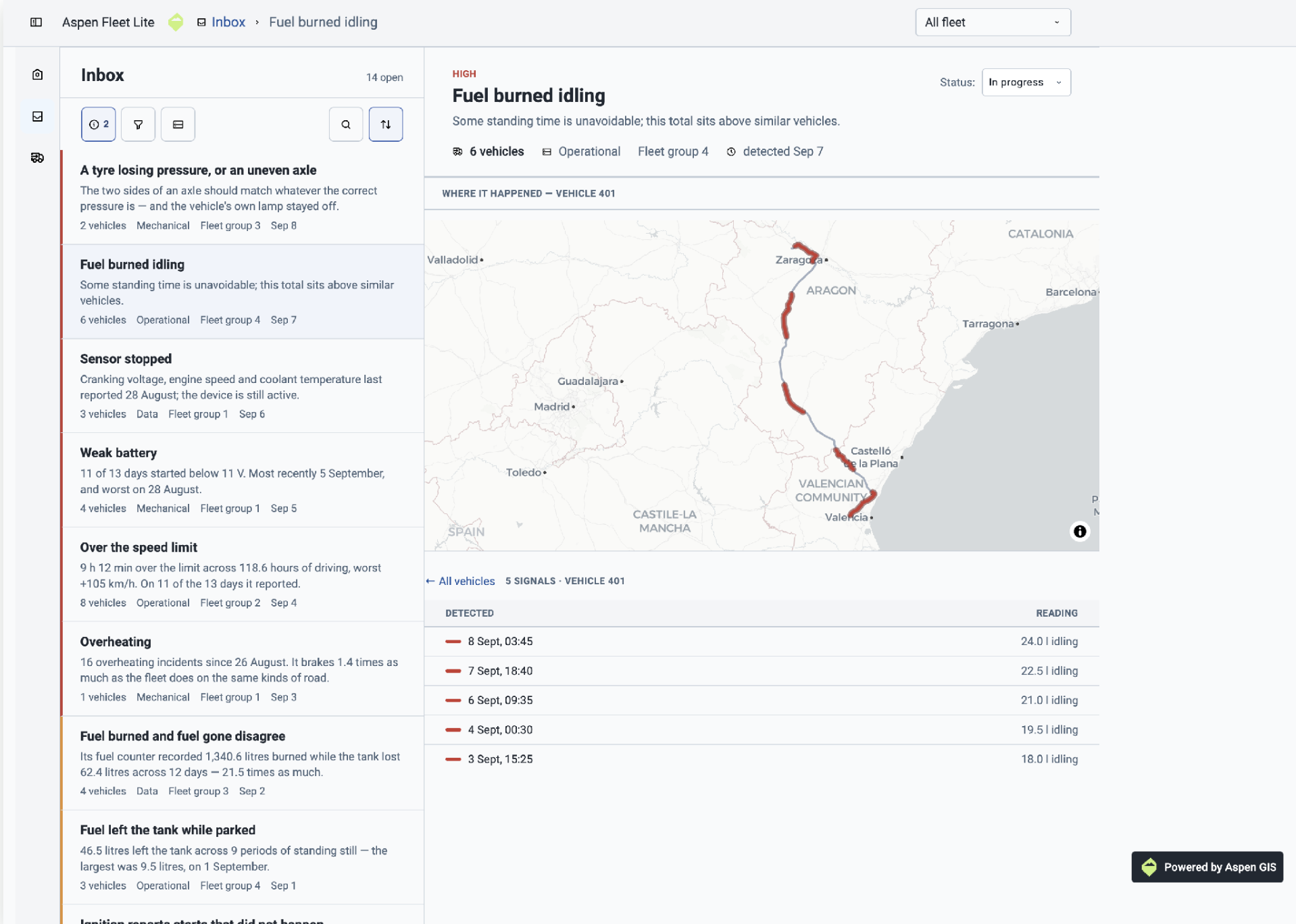
The Aspen Add-in as your team sees it
What the Add-in does
Add Aspen from the MyGeotab Add-in settings. No gateways, no extra hardware, no data export.
Engine, fault, GPS, and diagnostic feeds stream straight from your database into Aspen's models.
Each vehicle with a Geotab device gets monitored for issues. Issues are graded by severity with added root cause and remediation steps for your maintenance team.
Turn a flagged issue into a scheduled service, with warranty status attached, without leaving MyGeotab.
Work orders
Open a work order straight from an Aspen issue. Every detail, asset, odometer, priority, and repair steps for your maintenance crew flows into MyGeotab's Work Order Management.
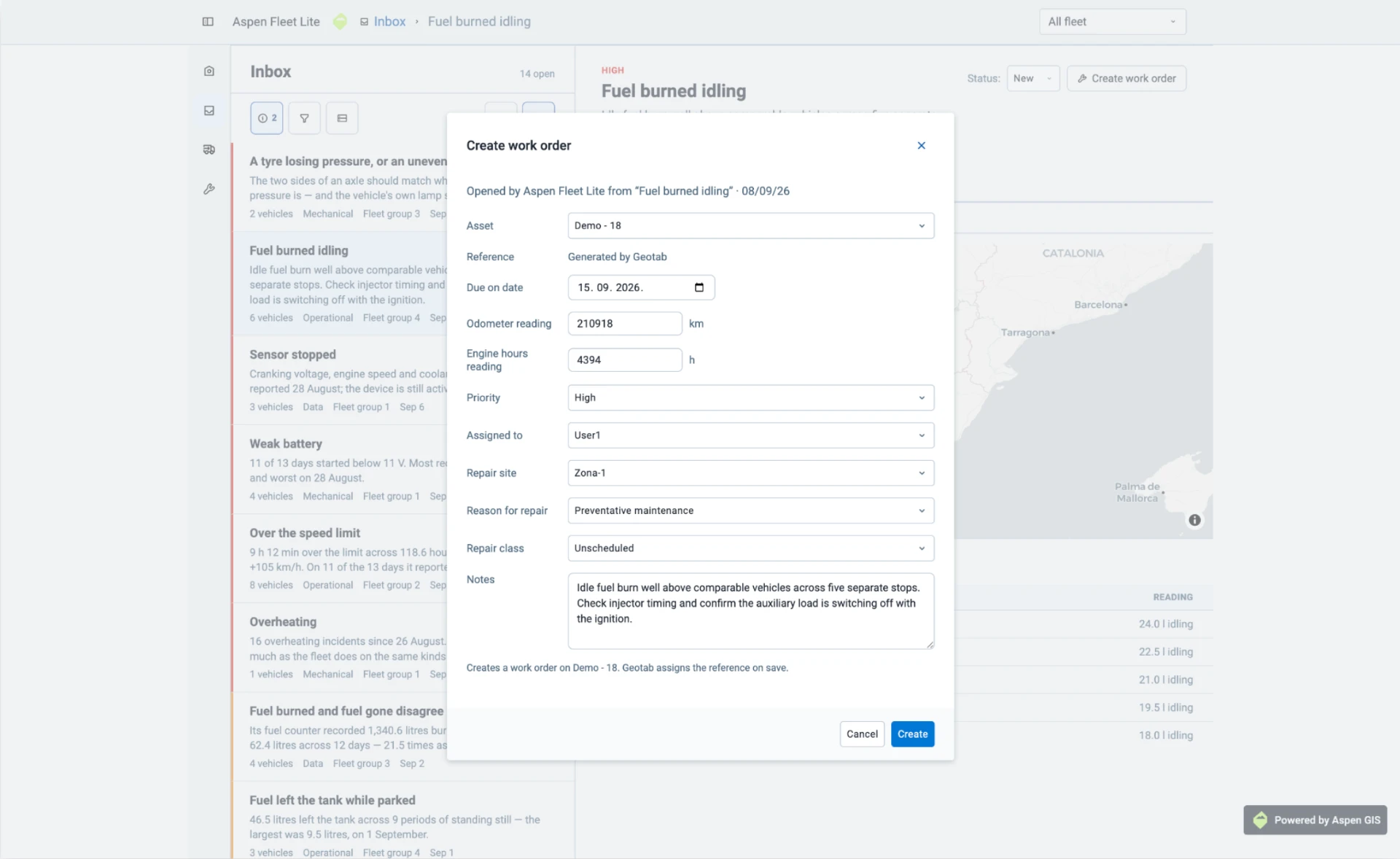
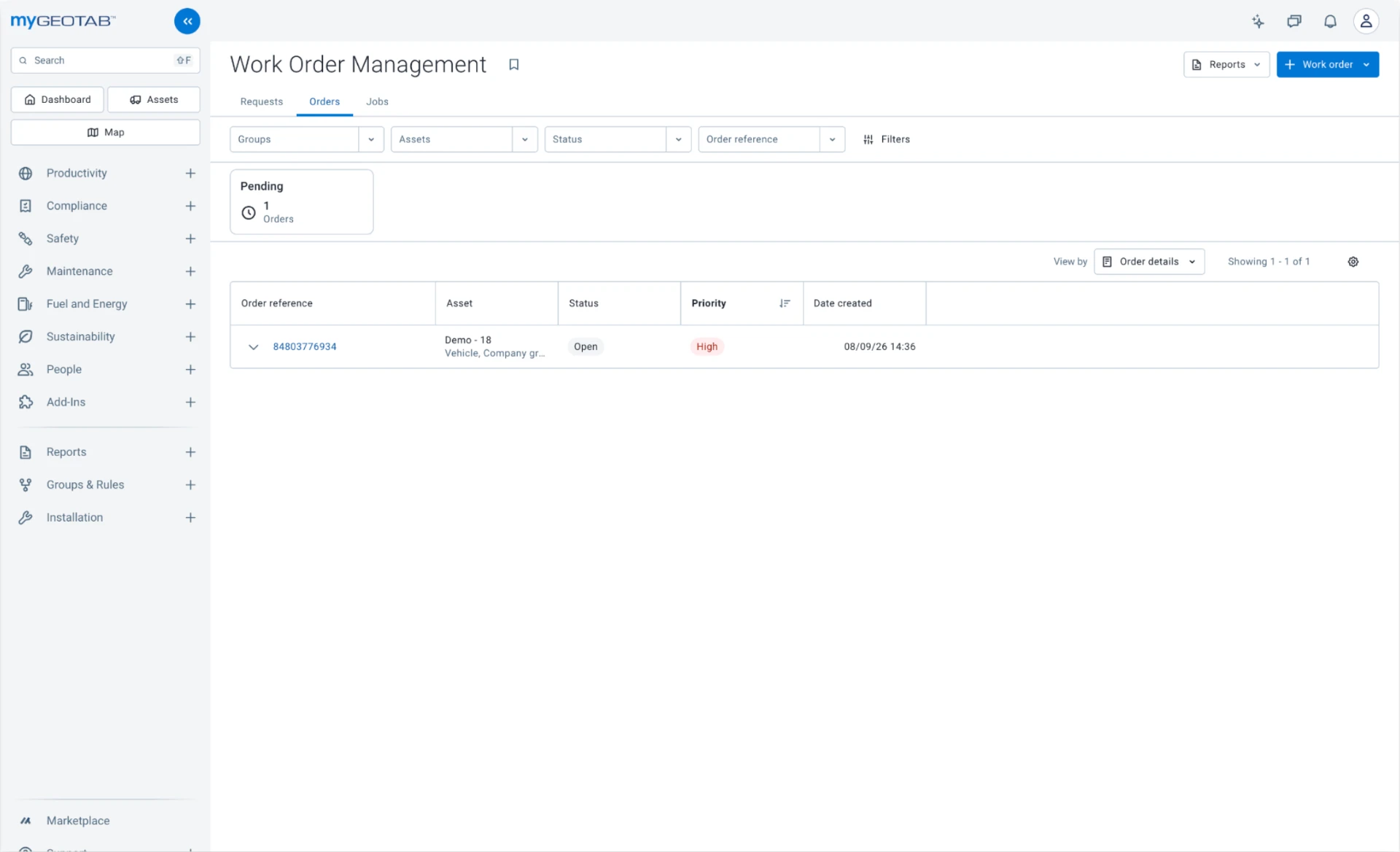
One click in Aspen, one order in MyGeotab
Setup
Paste the Aspen configuration into MyGeotab → System Settings → Add-Ins.
Aspen reads your existing vehicle, fault, and engine data with scoped, revocable access.
Within days the model calibrates to your fleet and starts ranking issues by risk.